The last couple of years I have started to use an new trick to make my everyday life with Dynamics NAV easier.
Usually I have the problems like this:
- How do I easy see all the locations of a certain field name in the database?
- How can I quick look up a datatype for a certain field?
- How can I quick see if a field is a flowfield?
- How can I search on database fields using captions?
For me the solution became to make a page on the virtual table field (How to: Create a Page to View a Virtual Table).This is real handy when you have an addon table with 355 fields were the captions don’t really match the field names.
Here is the result and now I can filter on all these fields
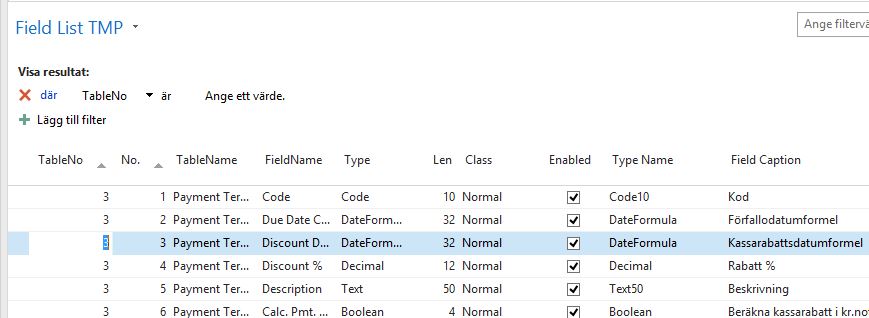
And the available fields in the virtual table field are (2015):
| Field | Description |
|---|---|
| TableNo | The ID number for the table. |
| No. | The number assigned to the field. |
| Table Name | The name of the table. |
| FieldName | The name of the field. |
| Type | The data type assigned to the field, for example, decimal. |
| Len | The length of the field entry in bytes. |
| Class | The class of the field, for example, FlowField. |
| Enabled | Whether the field is enabled. |
| Type Name | The data type assigned to the field. The length of the field entry in bytes is included for Code and Text data types. |
| Field Caption | The caption of the field in the language that has been selected. |
| RelationTableNo | The ID number for the table that the field is related to. |
| RelationFieldNo | The number of the field in another table that the field is related to. |
| SQLDataType | The data type assigned to code fields. |
 NAVfreak